Reviewed and updated: November 10, 2026
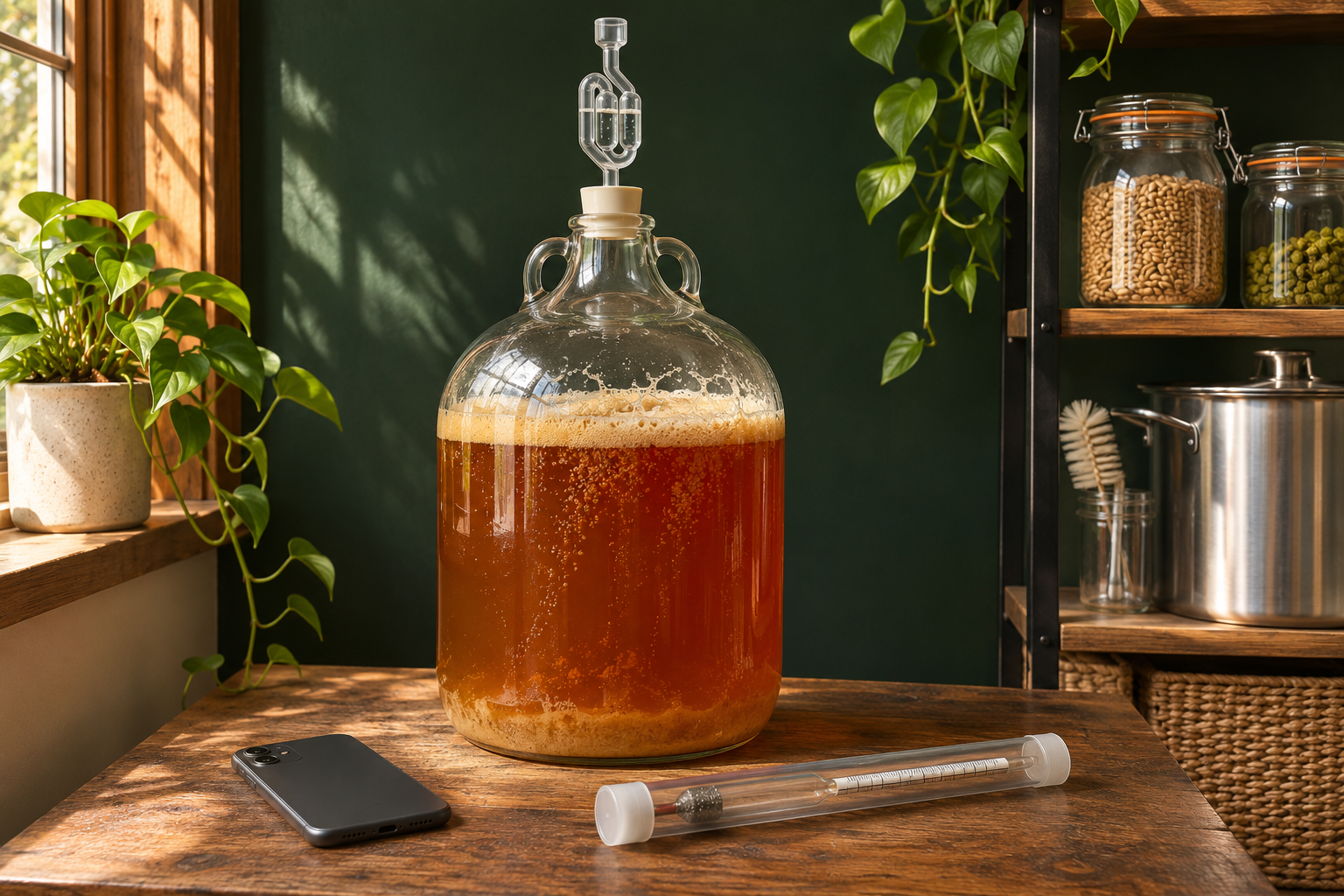
If you keep wondering what your beer is doing between brew day and packaging, the original Tilt Hydrometer and Thermometer is an appealing little upgrade. We’d consider it when you want to follow gravity and temperature without drawing a fresh sample every time curiosity strikes. It floats in the fermenter and sends readings over Bluetooth to a compatible device nearby.
The catch is that nearby really matters. This original Tilt doesn’t connect straight to your home Wi-Fi, and continuous logging needs a receiving device in range. If you’re happy taking occasional manual readings, you may already have everything you need. The Tilt is most interesting when following the batch more often would add something you actually enjoy or use.
For the beer you can’t help checking on
There’s a particular kind of brew-day curiosity that carries on after the fermenter is closed. You want to know whether the gravity is still dropping, how the temperature changed overnight, or how this batch compares with the last one. A floating monitor can make those checks easier without repeatedly opening the vessel.
That information has more value when you know what you’re looking for. A graph showing the batch’s progress can help you spot a change worth investigating. It doesn’t make brewing decisions for you, but it gives you something more useful to follow than the occasional bubble through an airlock.
If you brew now and then and your manual readings already answer your questions, there’s no need to add another device just because it exists. We’d buy the Tilt for the ongoing view of a batch, rather than as something every homebrewer is supposed to own.
Tilt Hydrometer and Thermometer
A floating Bluetooth monitor for following gravity and temperature during fermentation. Plan a nearby receiver if you want continuous records. This button opens Amazon search results for the original Tilt Hydrometer and Thermometer.
View on Amazon (paid link)
What comes from the fermenter to your phone
The original model reports specific gravity and temperature over Bluetooth. Tilt lists compatible Apple and Android devices, along with Tilt Pi, as receiving options. For a quick nearby check, that means you can look at a reading without preparing a new sample jar each time.
It’s a monitor, though, rather than a controller. Seeing that the beer is warmer than expected doesn’t switch on a fridge or make the chamber cooler. If temperature control is the problem you’re trying to solve, keep that equipment on its own shopping list.
This review is about the original Tilt. The Pro and Pro Mini are different products, so check which version you’re comparing in search results. The familiar name alone doesn’t tell you that the features, dimensions, or receiving arrangements are the same.
Make sure the signal reaches where you need it
A bucket in an open room and a stainless fermenter inside a closed fridge present different challenges for Bluetooth. Tilt warns that stainless steel reduces range and recommends keeping the receiver closer. It’s worth thinking about that before buying, especially if your fermentation space is tucked away from the house.
Picture where the receiving phone, tablet, or dedicated device would actually sit. You want a dry, safe place and access to power if it will stay there. A receiver balanced somewhere awkward is less appealing than a setup you can leave alone comfortably during a batch.
Don’t treat a general compatibility claim as a promise that the signal will travel through your exact vessel and room. Check the maker’s guidance for your arrangement. If reception looks difficult, compare the supported options before ordering accessories in the hope that one of them will solve it.
A quick peek and a full record are different jobs
You might be perfectly happy checking the batch when you walk past it. In that case, nearby readings and a few written notes may be all you’re after. Continuous records take a little more planning because something has to stay in range to receive and pass on the readings.
Tilt says phone-based continuous cloud posting needs the phone powered, nearby, and running the app in the foreground. Tilt Pi is another receiving option the maker identifies. Think about whether you have a device available for that job, rather than assuming the sensor alone gives you an uninterrupted remote record.
That difference can change the buying decision. If you’re mostly interested in seeing what happened while you were away, the receiving arrangement is part of the purchase. If a daily visit to the fermenter suits you, there’s less equipment to organize around the occasional check.
Keep the beer story alongside the numbers
A gravity trend is more useful when you remember what else was happening. Note the yeast, a temperature adjustment, or the day you moved the fermenter. A few simple batch notes help you connect the graph with the beer you eventually pour.
Keep a manual hydrometer and a sensible sampling routine, too. A convenient display shouldn’t be the reason you rush packaging, particularly if a reading looks odd. Check what needs checking before deciding the batch is ready. Our advice on taking a hydrometer reading covers that familiar baseline.
We’d see the Tilt as a way to enjoy following the brew and gather useful clues, rather than a promise of better beer by itself. The interesting part is what you learn about your own batches over time, especially when you can connect a change in the record with something you did.
Fit, colors, and the bit after fermentation
Check that you can get the original Tilt through the vessel opening and retrieve it comfortably afterward. It needs to come out for cleaning and inspection, so think beyond dropping it in on brew day. Use the dimensions and instructions for this model rather than borrowing details from another version.
If you monitor more than one batch, color becomes a practical choice. Tilt identifies devices by color, so the maker specifies different colors for simultaneous batches. Keep a note of which one is in which fermenter, and check what you already own before adding another.
There is another item to clean and sanitize, and that’s part of living with it. Tilt recommends warm water and dish soap for cleaning, warns against scrubbers and long PBW soaks, and recommends StarSan for sanitation. Follow the device’s current instructions and the cleaner’s directions. Give it somewhere safe to dry and live between batches.
When you compare the cost with manual equipment, include anything you’ll need to leave beside the fermenter. An available spare receiving device changes that calculation. The useful comparison is the complete monitoring setup you’ll actually use, rather than the sensor on its own.
Our take
We’d buy the original Tilt if following fermentation is part of the fun and the Bluetooth setup works in your brewing space. Plan the receiver if you want continuous records, and keep manual checks in your routine. If occasional samples already give you what you need, stick with them. The worthwhile upgrade is a clearer view of your beer, in a setup you’ll enjoy using.